Understanding Use Cases in CertHub
Ok, we've understood the follwoing. We have Product data where we can enter things like our Intended Use and much more. Teh structure for this Database comes from Schema Libraries. But there is more to Product Data! Specifically, PRoduct Data is usually not divided from our Templates/Documents and therefore also not from our QMS!
So let's dive deeper into Use Cases!
In medical device development, maintaining traceability between different types of documentation is crucial for regulatory compliance. Our system introduces Use Cases as a way to manage relationships between data in our system. This allows you to create specific, contextual links between related data - for example, linking all risks associated with a particular product to a Risk Control Measure.
What is the Scope of a Use Case in CertHub?
Use Cases in CertHub define pre-configured coneections between data. Our system not only let's you link any data together, we also guide you in which information should be linked together. This means a Use Case consists of pre-configured options to link Product Data together, e.g. A Risk to a Risk Control Meausre.
A Use Case is then the configuration for a complete workflow regarding a specific regulatory area, such as Risk Management or Requirements Engineering.
Predefined Use Cases
Currently, CertHub supports two predefined Use Cases:
- Risk Management
- Requirements Engineering
How to Use the Use Case
-
Go to Your Product:
-
Creating Data:
- Enter Data that falls under Risk Management oder Requirements Engineering
-
Connect Data
- Click on any entry under Risk Management or Requirements Engineering and link it to the respective connected information, e.g. a Risk to one or more Risk Control Measures.
When you create a new record within any Use Case-enabled Knowledge Topic, you'll find the Domain-Specific Tracing section in the record drawer. This is where you establish relationships with other records after initial creation.
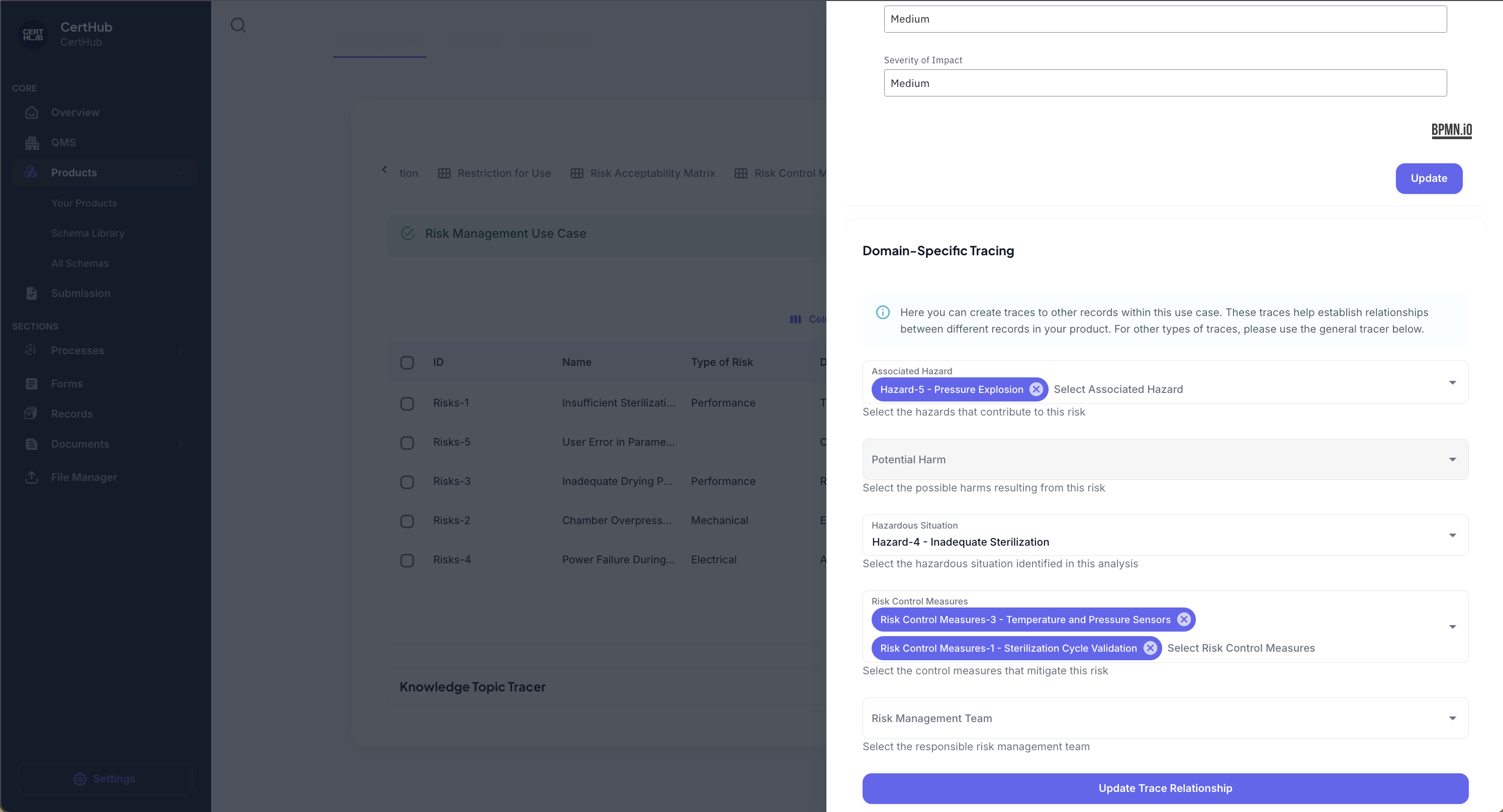
The Domain-Specific Tracing overview shows the available connection points between different types of documentation, providing a clear structure for establishing regulatory-compliant relationships.
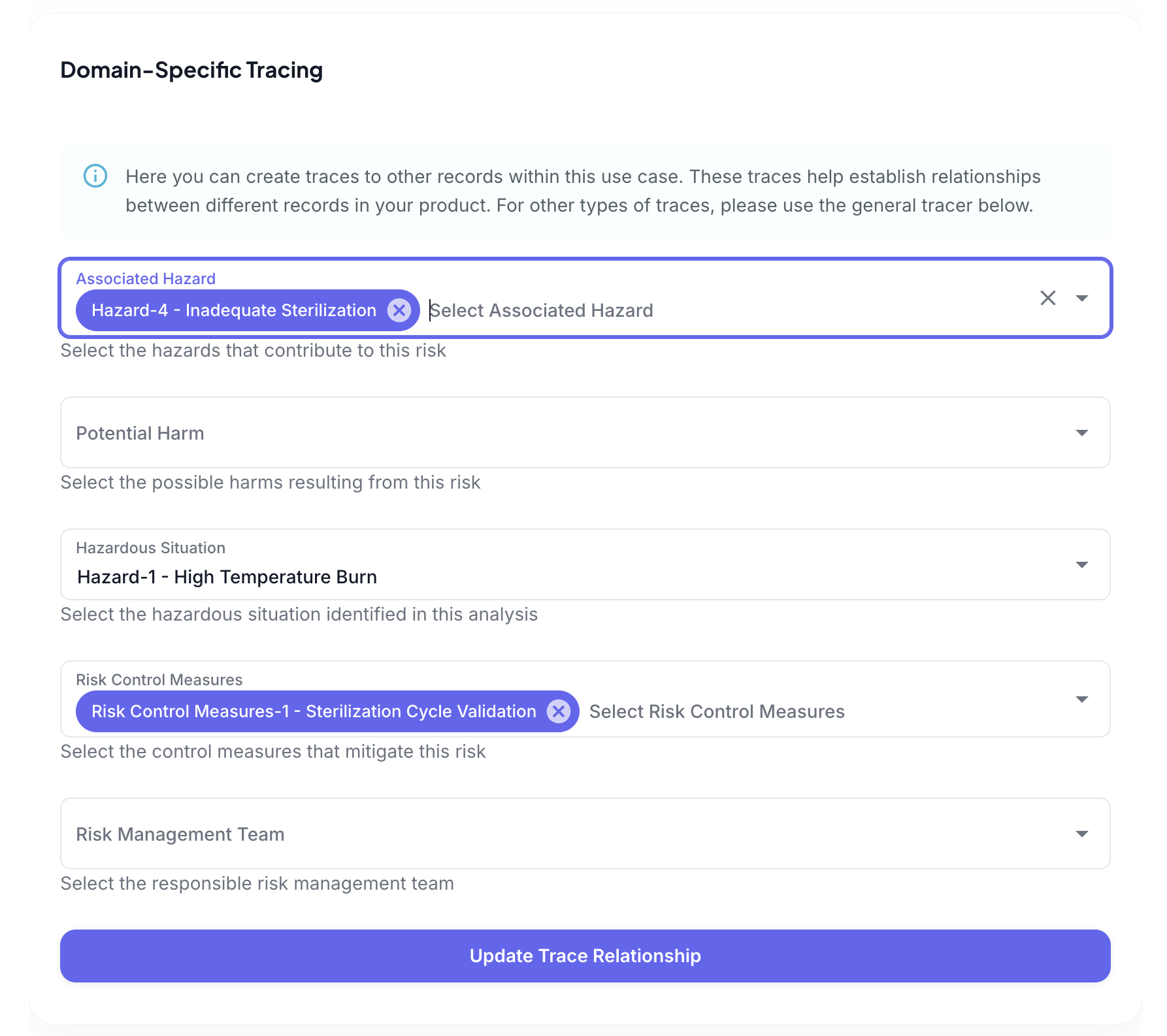
The Domain-Specific Tracing section in the record drawer displays detailed options for creating relationships between documents. Each relationship type comes with a clear description of its purpose and regulatory significance.
Each relationship option is accompanied by a clear description of its purpose, ensuring you make appropriate connections that satisfy regulatory requirements.
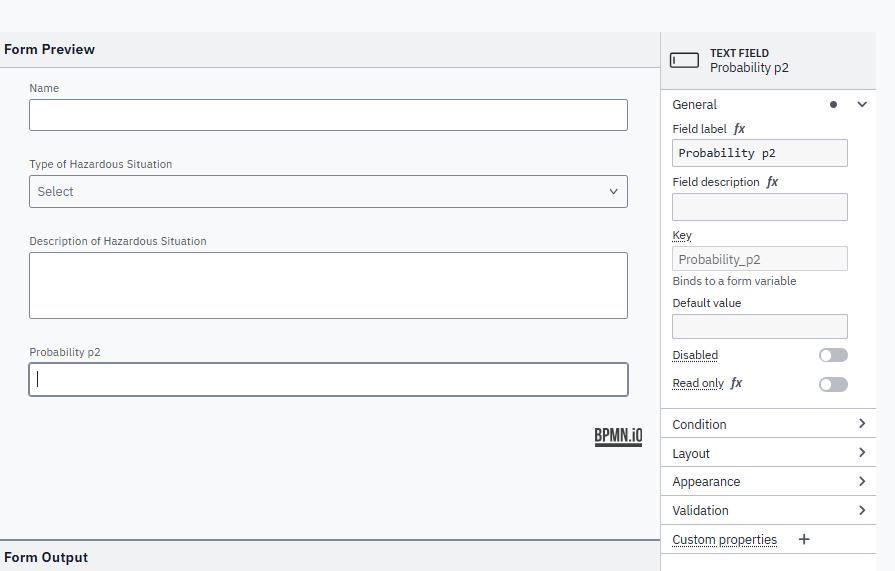
The selected trace relationship maps to the respective KT and its name. In order to specify a custom name for a KT, it needs to have a field with the key "name". Additional fields in use cases need the key conststing of the name connected by '_' in the respective form, e.g. "Probability of Occurence" needs the key "Probability_of_Occurence".
How to spot Use Cases
When you open any Knowledge Topic that's part of a Use Case, you'll see the Use Case Status panel at the top of your screen. This serves as your central control point for managing relationships between different types of documentation. Use Cases are automatically activated when you implement the associated Library.
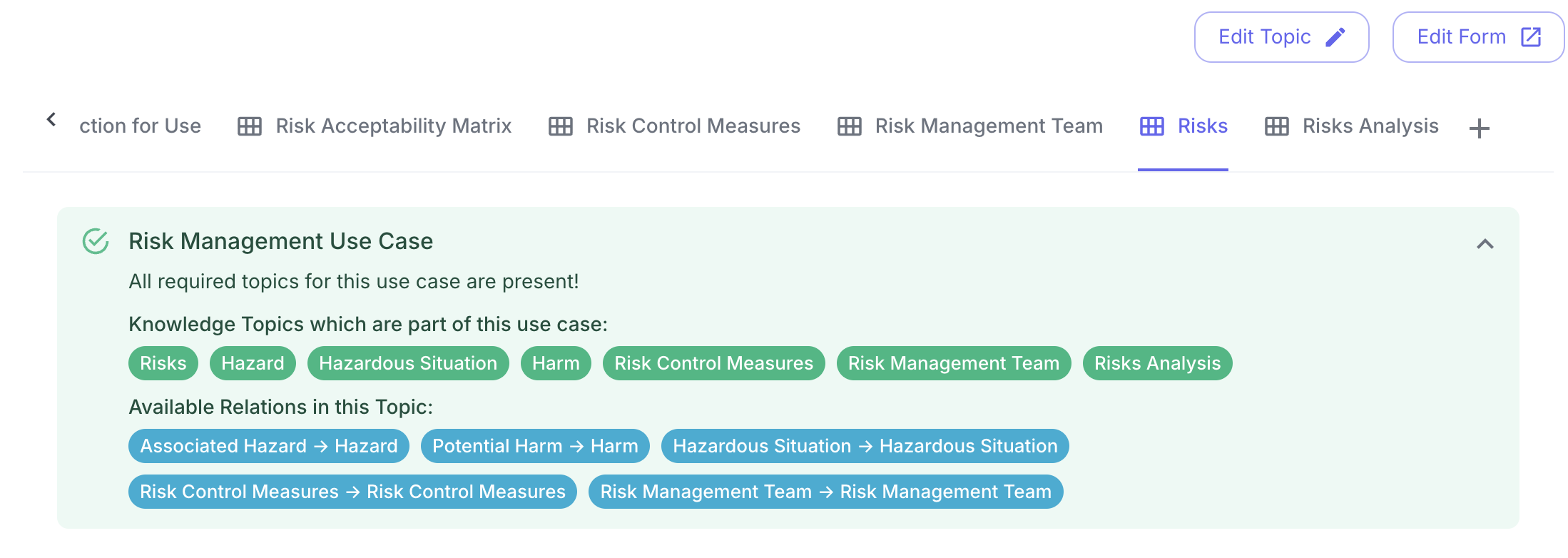
The Use Case Status panel displays a complete configuration with a green status indicator. The panel shows the current state of your documentation setup, with all required topics properly configured and linked.
Status Indicators and Feedback
The status panel provides immediate visual feedback on your configuration:
- ✅ Green status – All required topics are properly configured and linked
- ⚠️ Yellow status – System detected missing or duplicate topics that need attention
- 🔍 Expandable sections – Provide detailed information about required topics and their current status
Detailed Topic Overview
Clicking the expand arrow reveals a comprehensive breakdown of your topic configuration:
- 📌 Topics currently available in your system
- ❌ Missing topics that need to be created
- 🔄 Duplicate topics that require consolidation
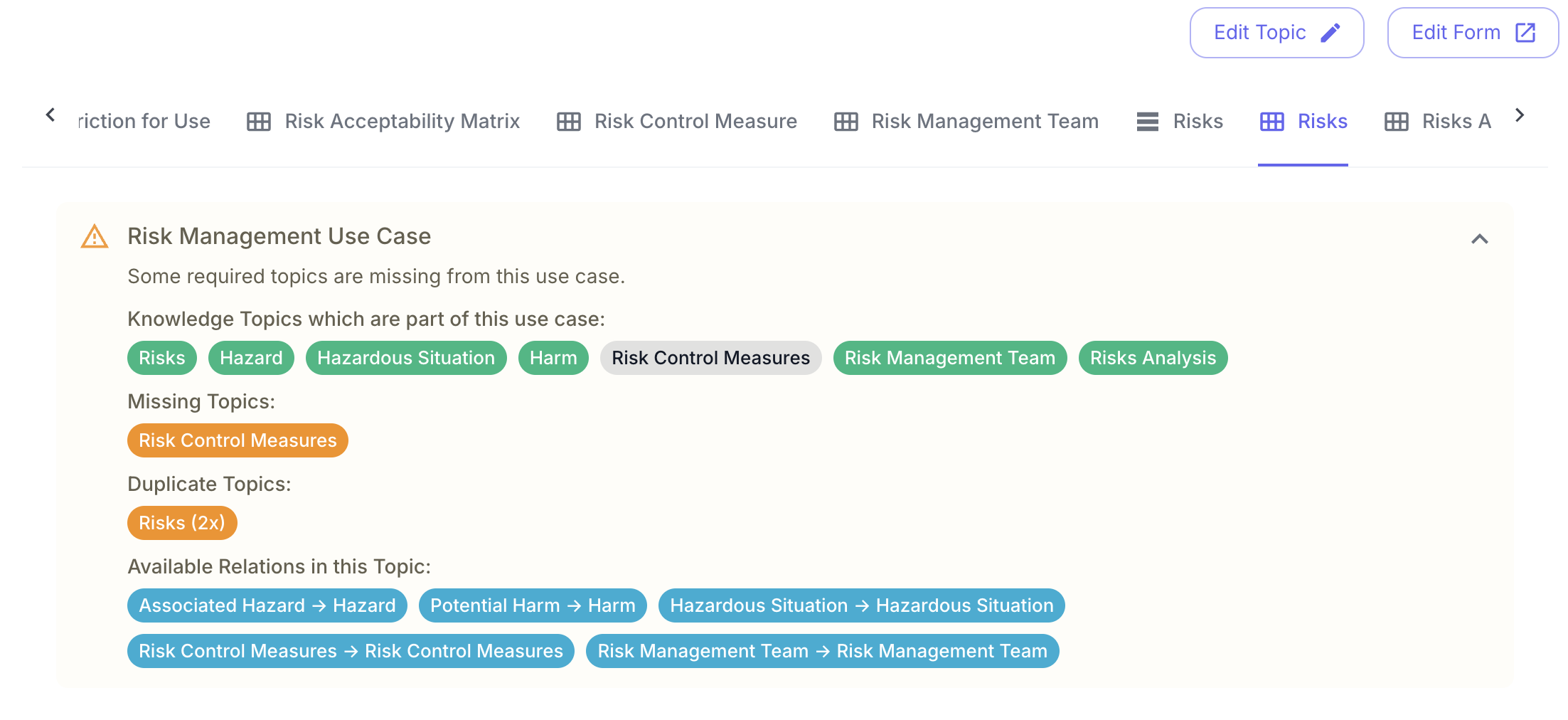
The expanded status panel provides a detailed breakdown of your topic configuration. In this example, the panel highlights one missing topic and one duplicate topic that needs resolution. The Use Case will remain inactive until these issues are addressed, as proper tracing requires a complete and unambiguous topic structure.
Further Information
Please look at the Risk Management Use Case or the Requirements Use Case case for further Information on the respective KU/KTs with their relationships, SOPs and the necessary Templates/Documents.