Quality Management (QM) Module
WOW, we are already diving into the QM Module, which means
- We know the power of Global Elements
- We have understood how the Database for Products work
So let's move on, how do we build a QM System in Certhub?
First of all, let's throw the idea of text-based Processes out the window! In our Quality Management (QM) Module we depict processes as a process flow. Oh the beauty of digitalization...
Let's take a step back and throw EVERYTHING out the window, you will still find components like
- SOPs
- Work Instructions
- The Turtle Model
- Goal & Scope
- a short description of you Processe or
- Forms and Records
in our System.
1. Standard Operating Procedures (SOPs)
SOPs are higher level processes that define your quality system's core workflows. These are required by regulations like ISO 13485 and FDA QSR to document your key quality processes.
Typical SOPs include:
- Design Control Process
- Document Control
- CAPA Management
- Risk Management
- Change Control
- Internal Audit Process
- Management Review
- Training Management
and many more! Hopefully these sound already familiar to you! Of course we will provide you with blueprints for all of your processes, so no need to create anything from scratch, just adpat our Processes!
Each SOP should ideally include:
- Visual process flows using BPMN
- Clear responsibilities and roles
- Links to required documentation and data
- Background Information
- Goal & Scope
- Inputs and Outputs
Coming from a Paper-based QMS?
Legacy SOP documents can also be auto-extracted using our AI. Just upload your PDFs or .docx filesand we bring everything into the CertHub structure automatically. Check out the AI Topics: SOP Document Extraction Module.
2. Work Instructions
Detailed step-by-step guides that support SOPs. While SOPs define what needs to be done, Work Instructions explain how to do it.
Common Work Instructions include:
- Literature Research
- Place a Purchasing order
- etc.
What is defined as a Work Instruction and what as an SOP can vary depending on how your Process landscape looks. Generally, Work Instructions are smaller Processes that can/should be executed by one person. As always you will find suggestions by us in the CertHub already. If you are unsure, give us a call!
Oh and if it wasn't clear: Workinstructions can be directly linked to a specific process steo inside an SOP.
3. Forms & Records
What would our QMS be without Forms? Typical Forms include:
- Complaint Records
- CAPA Records
- Training Records
- Audit Findings
- Nonconformity Reports
These will be defined in our Docment Mangement system. We are jumping ahead here, but if you can't wait, check this out: How to create Forms
The QM Overview - Organization of your QMS
At the heart of the QM module is the QM Overview, which provides a structured way to organize your entire quality management system. This is where you'll maintain all your SOPs in a logical, audit-ready structure.
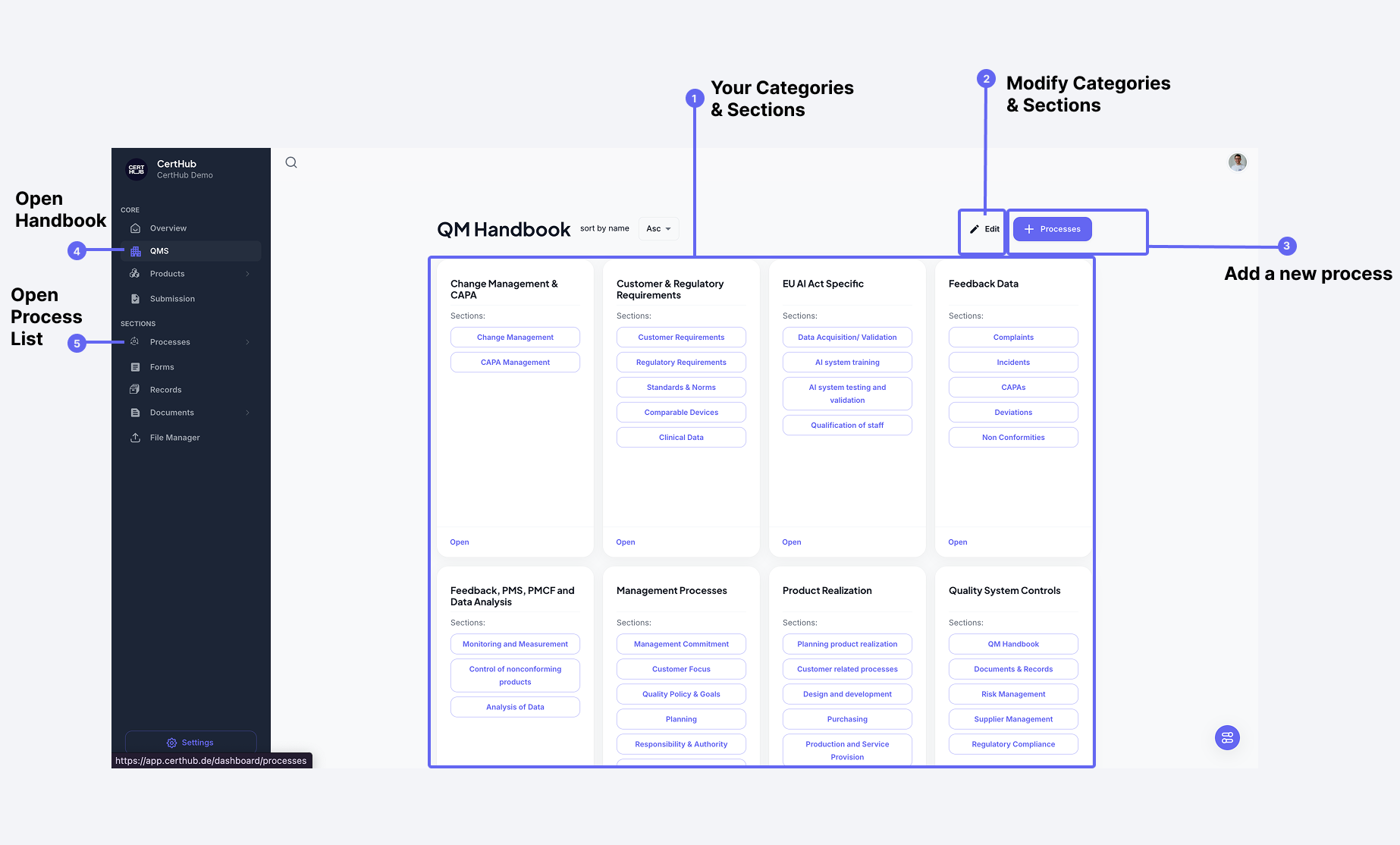 The QM Overview organizes your processes into Categories (like "Product Realization") and Sections (like "Design & Development"). This creates a clear hierarchy that matches regulatory requirements and your organization's structure.
I mean it sould beclear by now, but obviously you can adapt this as well!
Editing the Structure
You can customize the QM Overview structure using the edit mode:
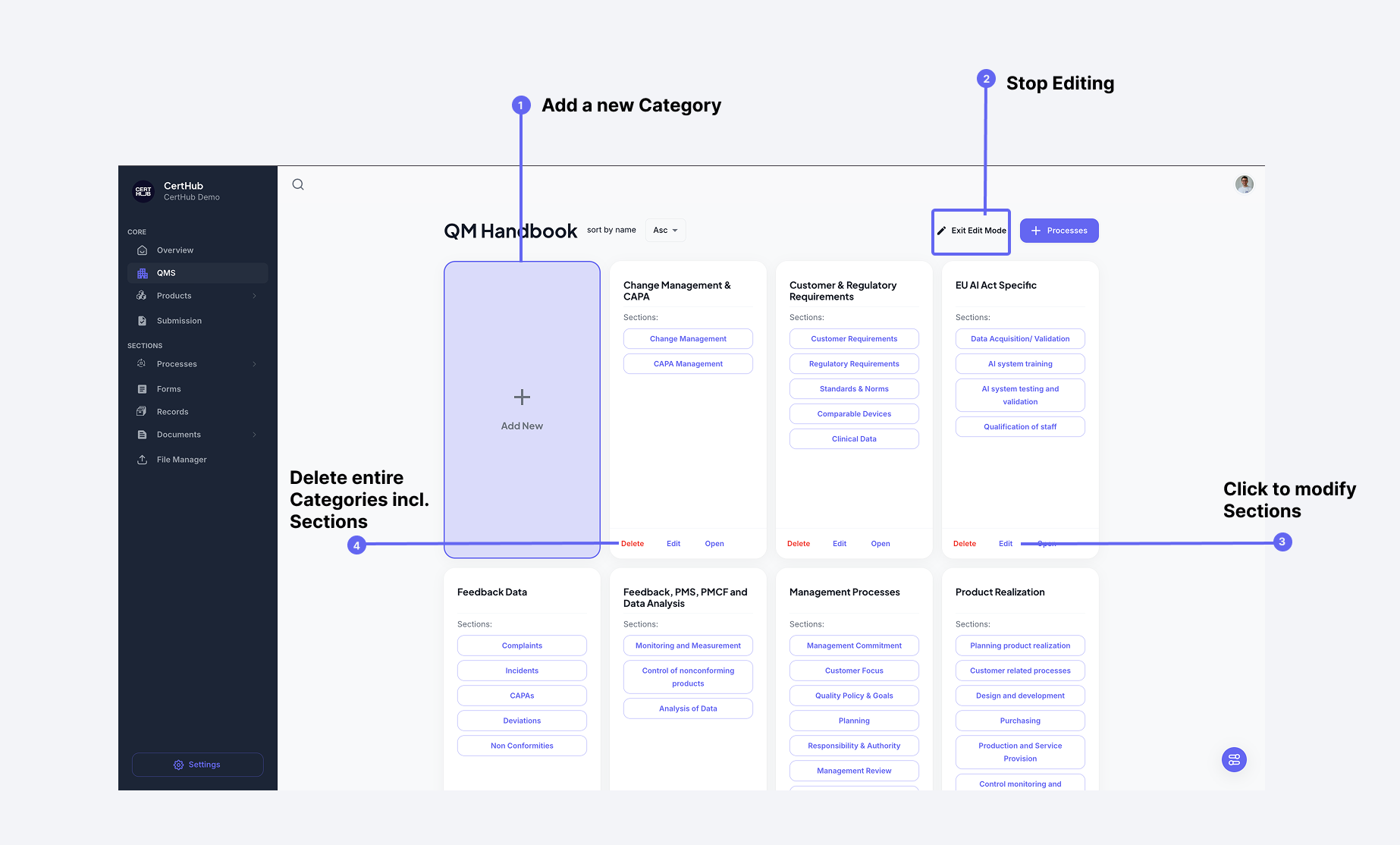 Click the "Edit" button to modify your handbook structure. You can add, remove, or modify categories and their sections.
When editing sections within a category:
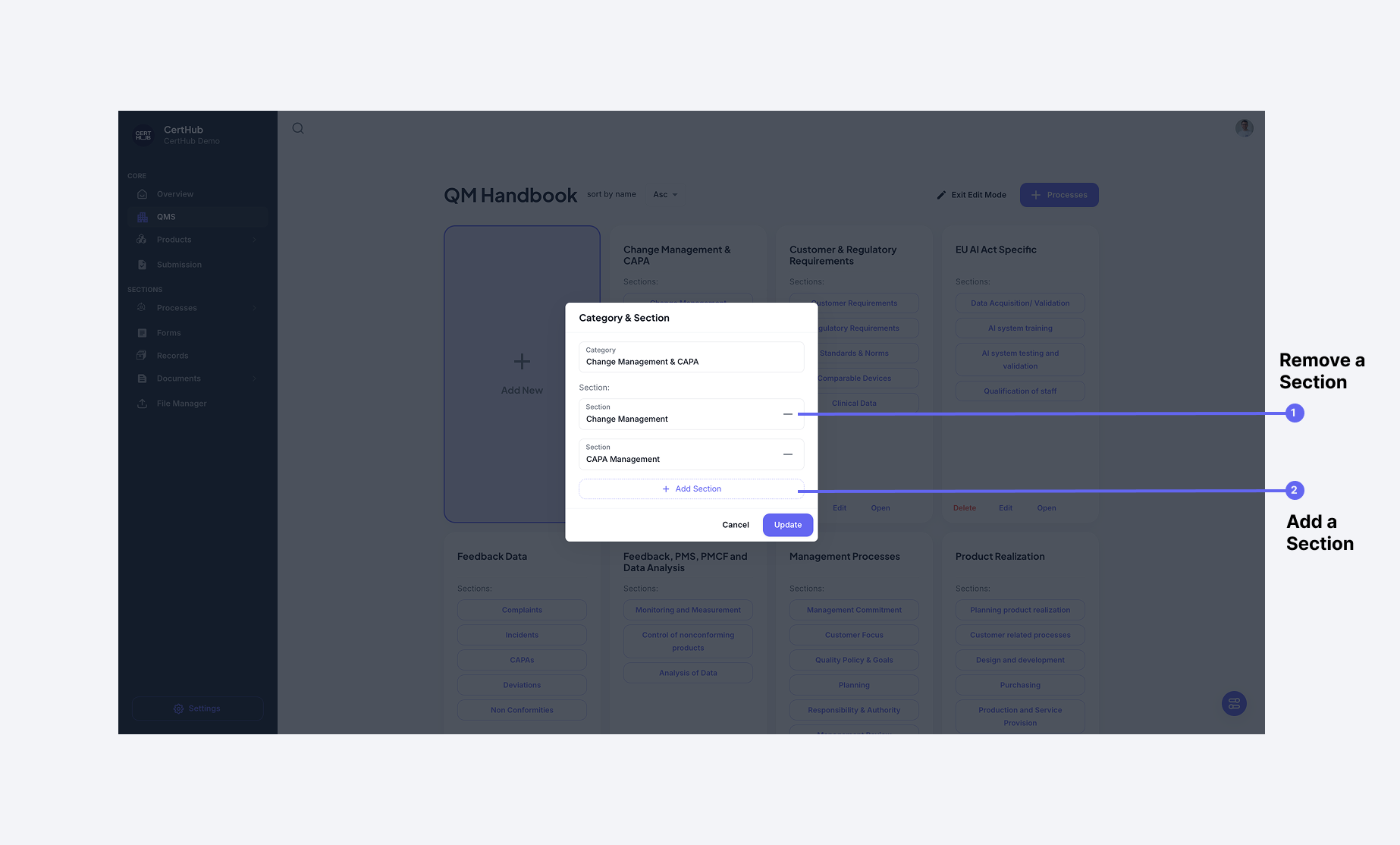 1. Remove existing sections using the delete button 2. Add new sections using the "Add Section" button
Each section can contain SOPs relevant to that area.
1. Remove existing sections using the delete button 2. Add new sections using the "Add Section" button
Each section can contain SOPs relevant to that area.
Viewing Processes
You can access your SOPs in two ways:
- Through the QM Overview's structured view This si recommended for audits, as you will also only see approved Processes.
- Via the complete process list Usefull for wuick tasks or editing.
More details on how to manage SOPs and Work Instruction will be discussed in the next chapters!