Versioning Concept in CertHub
CertHub uses a structured versioning system to manage CertHub object lifecycles clearly and reliably. This system separates Approved Versions from Draft Revisions, ensuring traceability and control.
Version Number Format
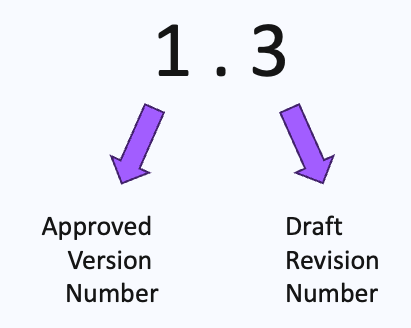
Approved Version
- Ends in
.0(e.g.,2.0,3.0) - Indicates an officially released and signed version of the CertHub object
- Approved Versions cannot be edited directly.
- To make changes, a Draft Revision must be created from the Approved Version.
Draft Revision
- Examples:
1.1,2.2,3.4, etc. - Created from the last Approved Version.
- Tracks changes that are not yet released.
- Only one Draft can exist per CertHub Object at any time.
- Each Draft Revision can include a commit message summarizing changes.
- Changes in drafts are inactive until officially released (published as a new Approved Version).
Special Case: Version 0.0
0.0is the initial unreleased state- It behaves like a draft and has no operational effect until promoted.
Summary Workflow
- Start with 0.0 or 0.1 – the object is in a draft state.
- Publish as 1.0 – first official version.
- Edit via Draft (e.g., 1.1) – changes in draft.
- Continue editing a Draft (e.g., 1.2) - further changes in the draft.
- Publish as 2.0 – new Approved Version, superseding the previous.