Approval Process
Introduction
The approval process in CertHub is a structured workflow that lets you make controlled changes to objects by making sure everything gets reviewed and approved before it goes live. It's basically an important governance layer – especially for regulated documents and other critical content in your company.
The approval feature lets multiple people review, approve, or reject proposed changes. This way, all updates follow a clear, consistent path. You get a secure chain of responsibility that protects the integrity of your documentation system.
The approval process is basically the digital version of a regulated approval workflow – it not only lets you update objects, but also formally locks them after approval. Any further changes can only happen through a new approval process – super important for meeting regulatory requirements around document control.
When should you use the approval process?
The approval process works great when:
- Changes need formal review (e.g. SOPs, templates, documents)
- Multiple people need to approve changes before they become valid
- Regulatory requirements call for a documented approval process
- You need a complete audit trail
- Changes have wide-reaching impacts and need careful consideration
- A document should be formally locked to prevent unauthorized changes
How the approval process works
The process follows these steps:
- Author creates draft – Changes are made and saved as a draft
- Configure approval – Set up who's involved
- Start approval – The process officially begins
- Step-by-step review – People review in sequence: Author → Owner → Reviewer → Final Reviewer
- Make decisions – People approve or reject (with comments)
- Publish – After full approval, the author can publish the changes
- Versioning – The approved changes become the new main version of the object
Setting up approval
Once you're ready to approve your changes, you need to set up who's involved in the process. In SOPs, you can access this view via the "Approve main version" button.
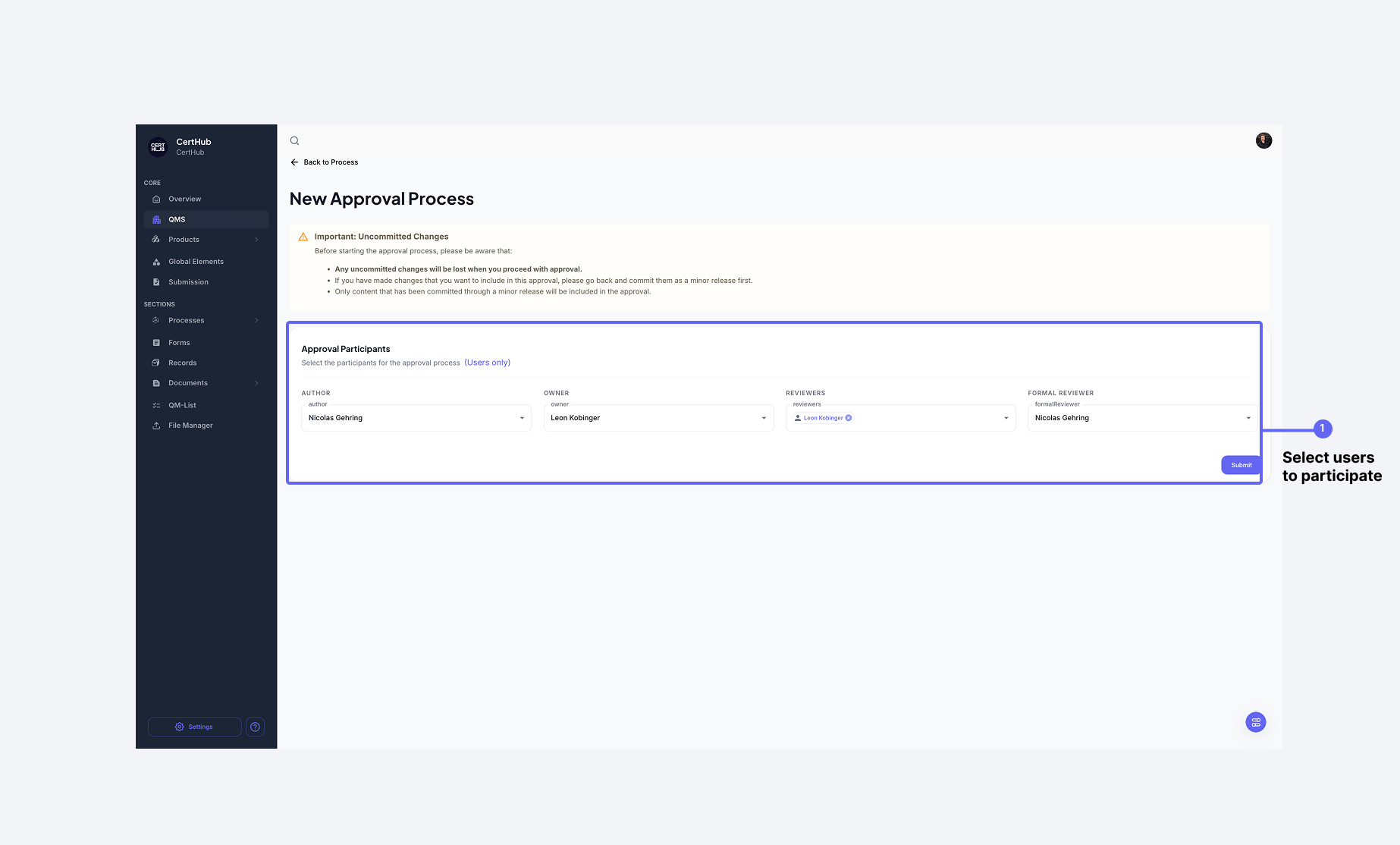 The approval view lets you set up all the roles needed for the process.
Important for SOPs: Before starting the approval process, you need to publish a new minor version. The approval always refers to the latest minor version.
Required roles
Every approval process needs four roles:
- Author – The person who created or edited the object (usually you)
- Owner – Responsible for the content
- Reviewer – One or more people for review (multiple reviewers are possible)
- Final Reviewer – Responsible for the final approval
Note: All four roles need to be filled before the process can start. One person can take on multiple roles.
Author, Owner, Reviewer, and Final Reviewer are positions within a single approval process — they say who does what in this particular approval. They are unrelated to the permission roles assigned under Settings → Roles, which say what a user is allowed to do in CertHub generally.
The two do interact in one place: a user nominated as Reviewer or Final Reviewer also needs the Approve permission from one of their permission roles, otherwise they will not be able to complete the step assigned to them. If someone cannot approve when it is their turn, check their roles against the Role Reference.
Managing active approvals
Once started, the object is locked. Changes are only possible by canceling the process.
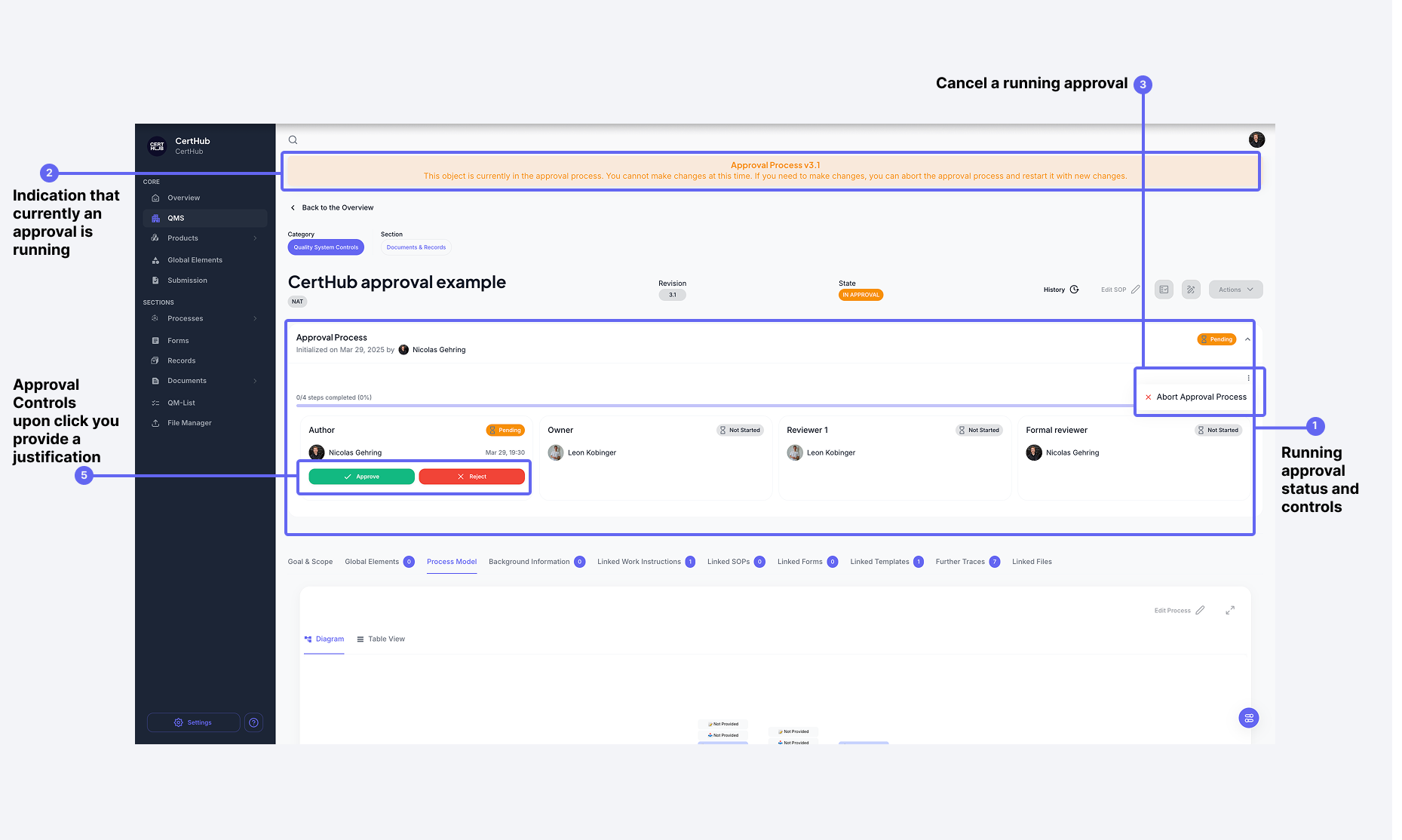 An active approval process shows the status of everyone involved. A banner indicates that the object is locked.
Actions people can take
Everyone involved has two options:
- Approve – Agree to the change, the process continues
- Reject – Reject with a required comment
All decisions are documented and become part of the audit trail.
Canceling an approval process
Sometimes you need to cancel a process, z. B. when:
- Someone's sick or on vacation
- Roles need to be adjusted
- Content issues come up
You can end the process and make the object editable again via the "Cancel process" button in the banner.
Handling rejections
If a change gets rejected, the process stops:
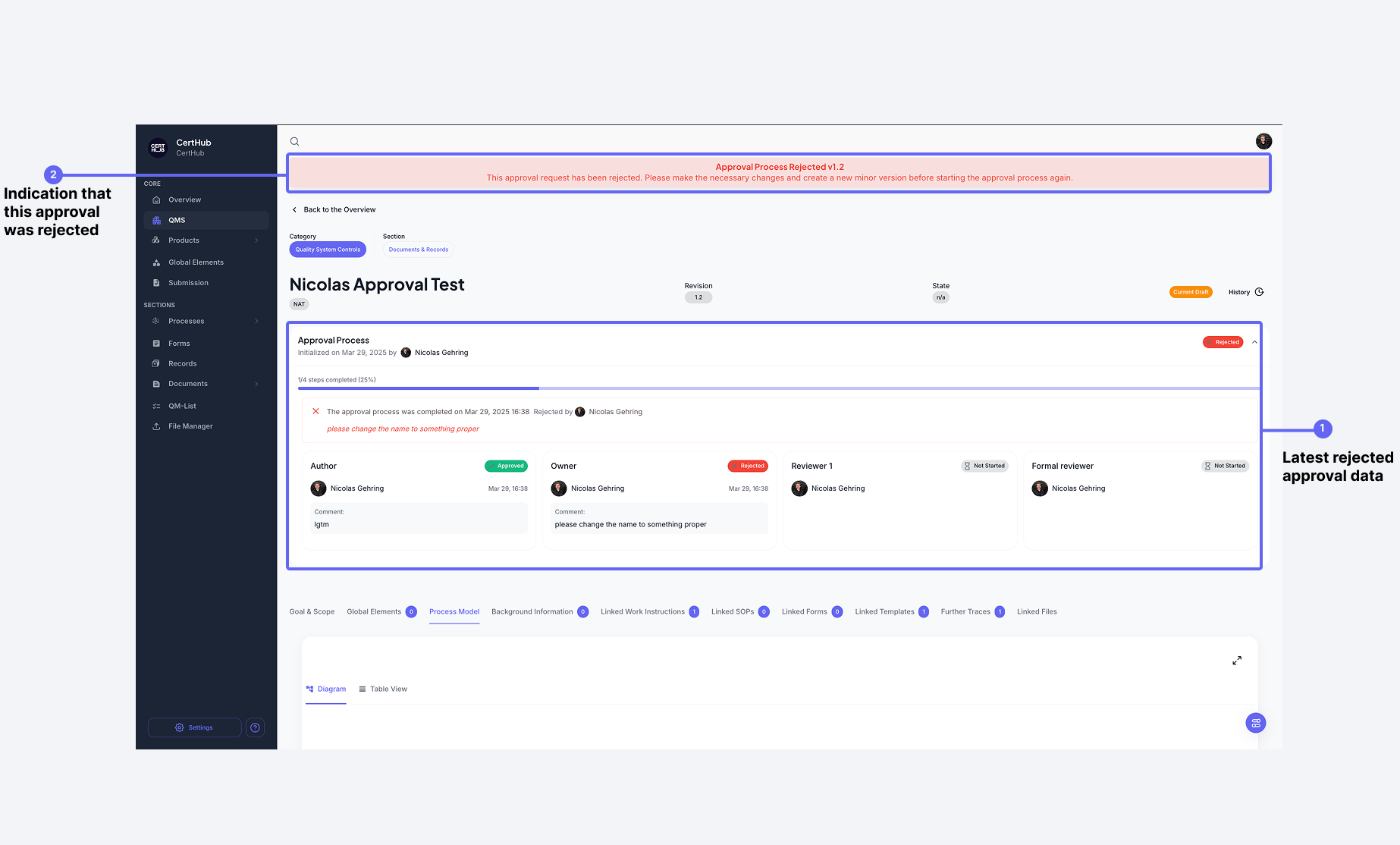 When rejected, the comment is documented and the process is canceled.
After that:
- Author revises the object
- Creates a new minor version
- Starts a new approval process
Completing the approval process
After full approval, it's time to publish:
 After approval by everyone involved, the new version can be published.
Only the author can publish. The new version is then saved as the active version. Approval date and history are permanently logged.
Approval history & audit trail
In the history, you'll find all info about previous versions and decisions:
- Who approved what and when?
- What comments were made?
- Which versions were rejected?
- Complete history of all changes
This documentation meets regulatory requirements for change and document control.
Dashboard overview
The CertHub dashboard has three areas for managing approvals:
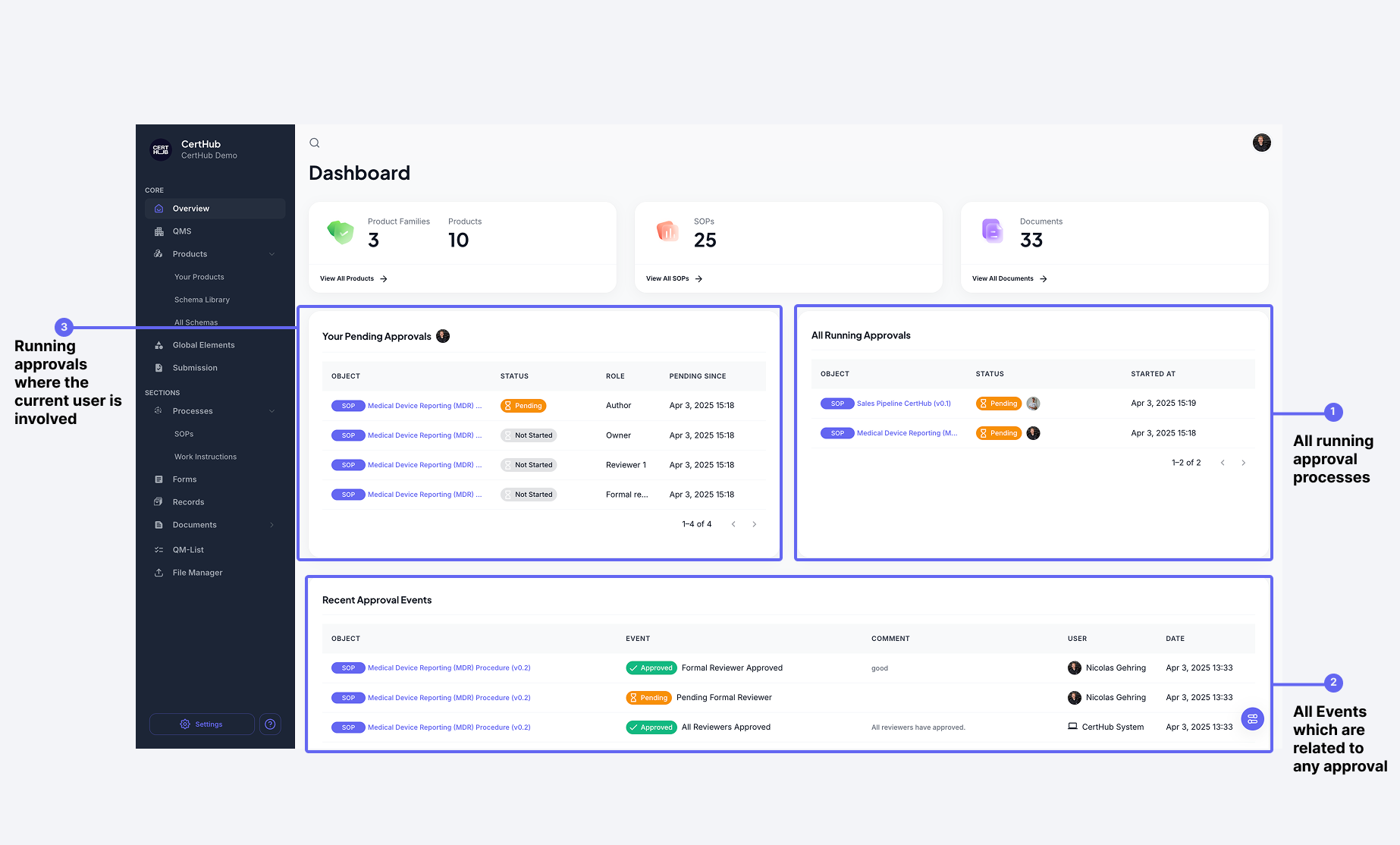 The dashboard shows all active approvals at a glance.
Personal approval area (left – 3)
Here you'll find all processes you're involved in:
- Your role (Author, Owner, Reviewer, Final Reviewer)
- Status of your involvement ("Pending", "Approved", "Waiting")
- Direct access to pending actions
Global approval overview (right – 1)
Shows all active approvals in the company:
- Overview of all processes
- Status of each process
- Shows who needs to act next
- Progress indicator
Approval audit log (bottom – 2)
Detailed log of all approval activities:
- Chronological event list
- Who did what when?
- All comments and status changes
- Filter and search functionality